Add Mail Account settings
The following instructions outline adding a typical POP3 or IMAP mail account. Most mail services generally use POP3, where you download your incoming mail and store it on your computer. On the other hand, IMAP mail servers maintain several folders where you can store your messages online but still use an email program like Mirramail to retrieve the messages and also save them to your local computer. It is important to note that any Mirramail encrypted messages you receive are always stored in their encrypted form on the mail server, but are automatically decrypted when you receive them using Mirramail.
Please note: More specific information is available by clicking the links for the following mail accounts.
-
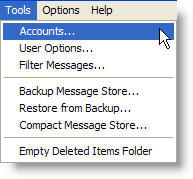
Click the "Tool" menu item on the main menu and select "Accounts" from the drop-down list.
-
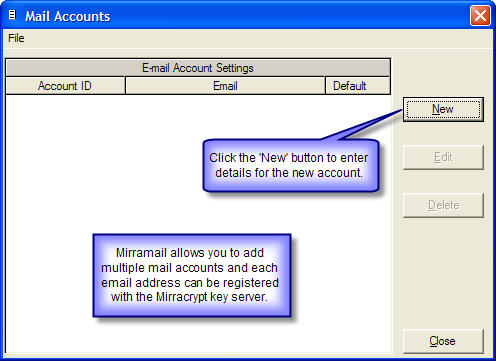
Click the "New" button to enter details for the new mail account.
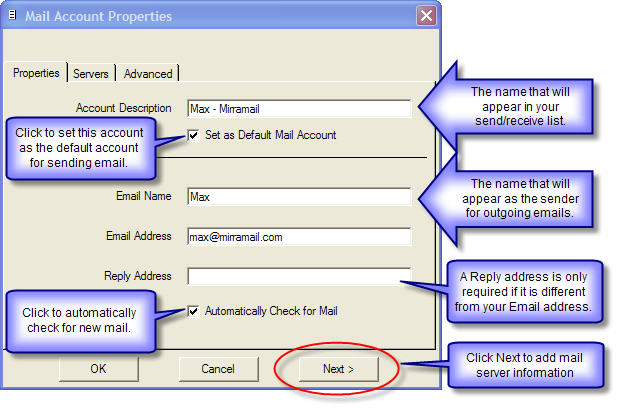
- Enter the required information and click "Next" to add your mail server information.
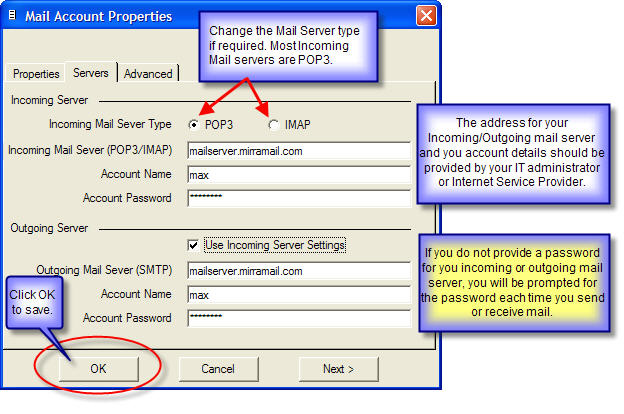
- Enter the Mail Server information required and click "OK" to save your mail account settings. This information would usually be provided by your IT administrator or ISP (Internet Service Provider). If you do not provide a password for your account, you will be prompted for a password each time you send or receive mail.
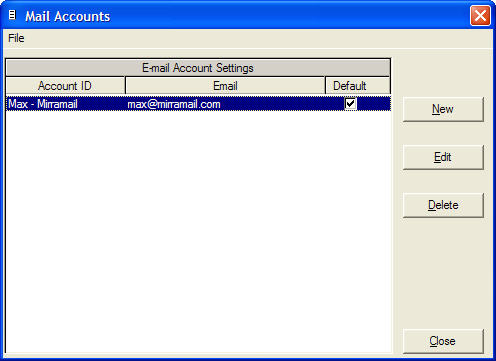
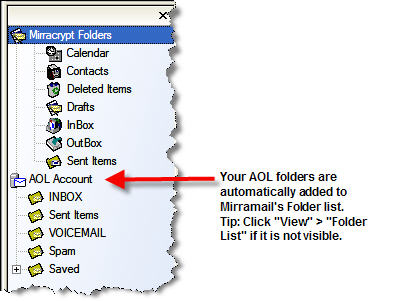
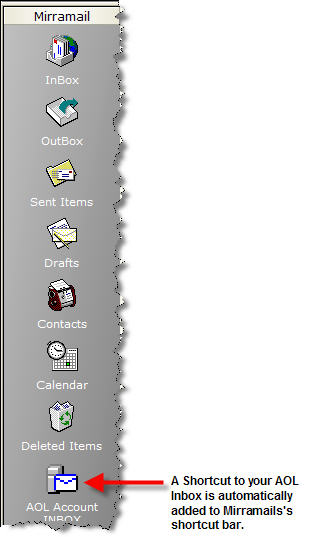
- Your account settings have now been saved. Click "Close" to return to the main program, click "New" to add another mail account or click "Edit" to modify the selected account. If you have added an IMAP mail account, Mirramail will automatically connect to the IMAP server and add your IMAP folders to Mirramail's Folder List and a shortcut to your IMAP Inbox on the shortcut bar. Please refer to the screenshots that follow.